Everything an agent needs for sunlight
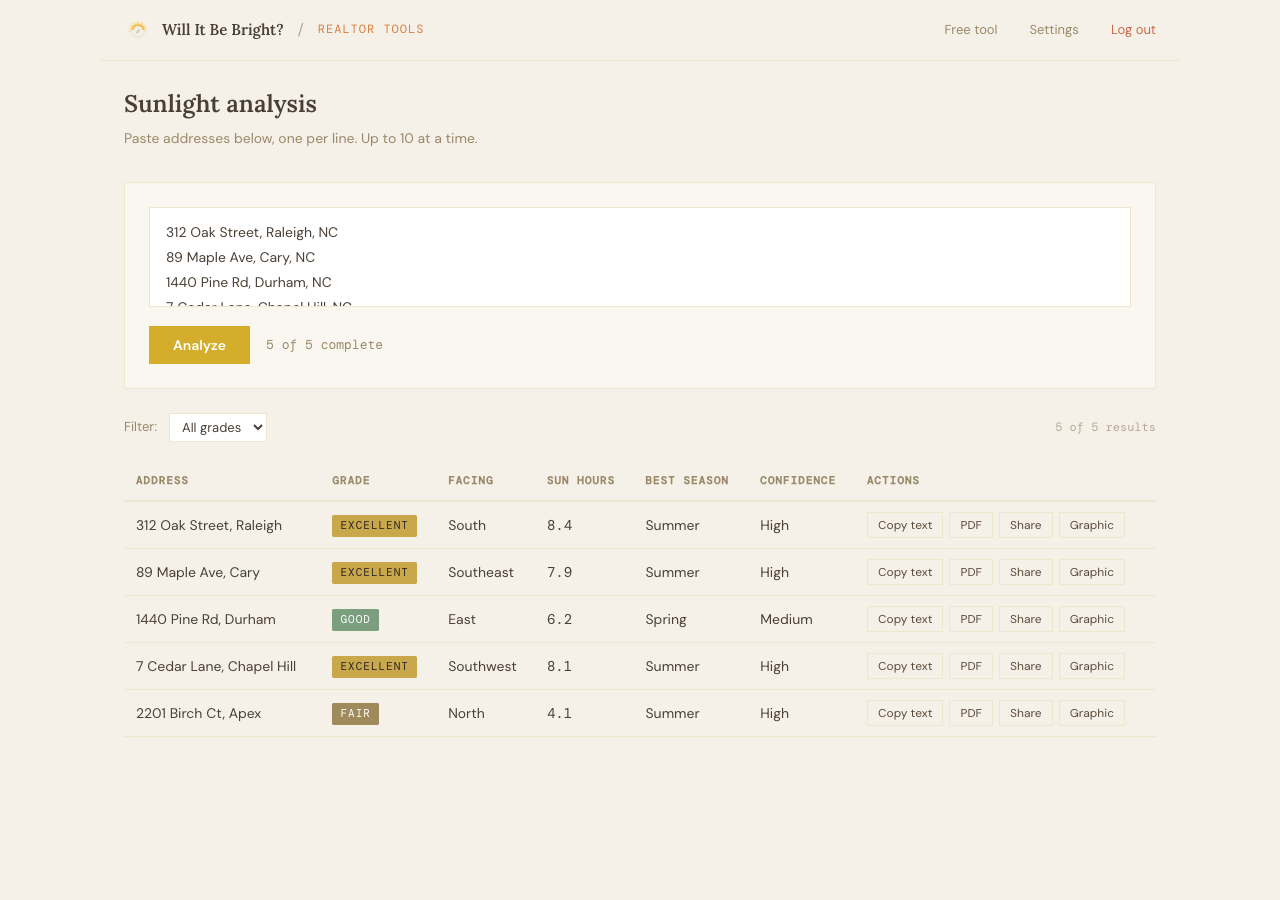
Paste up to 10 addresses. Get orientation, sun hours, and a brightness grade for each one in under a minute. Then turn those results into listing copy, PDF reports, and social graphics.
Buyers care about natural light more than they can articulate. Show them exactly what they're getting—by room, by hour, by season—before they ever walk through the door.
Get startedPaste up to 10 addresses. Get orientation, sun hours, and a brightness grade for each one in under a minute. Then turn those results into listing copy, PDF reports, and social graphics.
One click generates a 2–3 sentence sunlight description. Specific times, specific rooms. Paste it straight into any listing.
Your name. Your logo. Your contact info. Single property or side-by-side comparison—hand it to a buyer before a showing.
Send buyers a link. They see the full analysis on their phone, no app needed.
Branded 1080×1350 property card with sunlight data. Download, drop into Instagram.
Paste up to 10 addresses at once. Get every property graded, compared, and ready to present. The whole batch runs in under a minute because everything happens in your browser—real building data, real solar math, no third-party delay.
The free Chrome extension adds sunlight grades directly to Zillow and Redfin listings. You'll see orientation, sun hours, and a brightness grade without leaving the page. Works for every listing, every address.
Realtor Tools subscribers get the same data plus bulk analysis, branded reports, MLS copy, and shareable links.
Get the free extension →Cancel anytime. Your key works until the end of your billing period. No tiers, no feature gates, no upsells.
| Feature | Free | Realtor |
|---|---|---|
| Single address lookup | ✓ | ✓ |
| Sunlight grade + breakdown | ✓ | ✓ |
| Compare up to 4 addresses | ✓ | ✓ |
| Bulk analysis (5–10 addresses) | — | ✓ |
| MLS listing copy | — | ✓ |
| Branded PDF report | — | ✓ |
| Shareable report link | — | ✓ |
| Social media graphic | — | ✓ |